
Every agent framework today has the same default behavior: your agent runs with your full permissions. It can read your SSH keys, your browser cookies, your tax returns. Not because it needs to — because nobody told it not to.
That’s the fundamental gap Microsoft Execution Containers (MXC) fills — and it’s not theoretical for me. My team and I have been integrating MXC into OpenClaw so agents can run tools locally without inheriting a full user session.
To make the idea concrete, here’s the mental model I use:
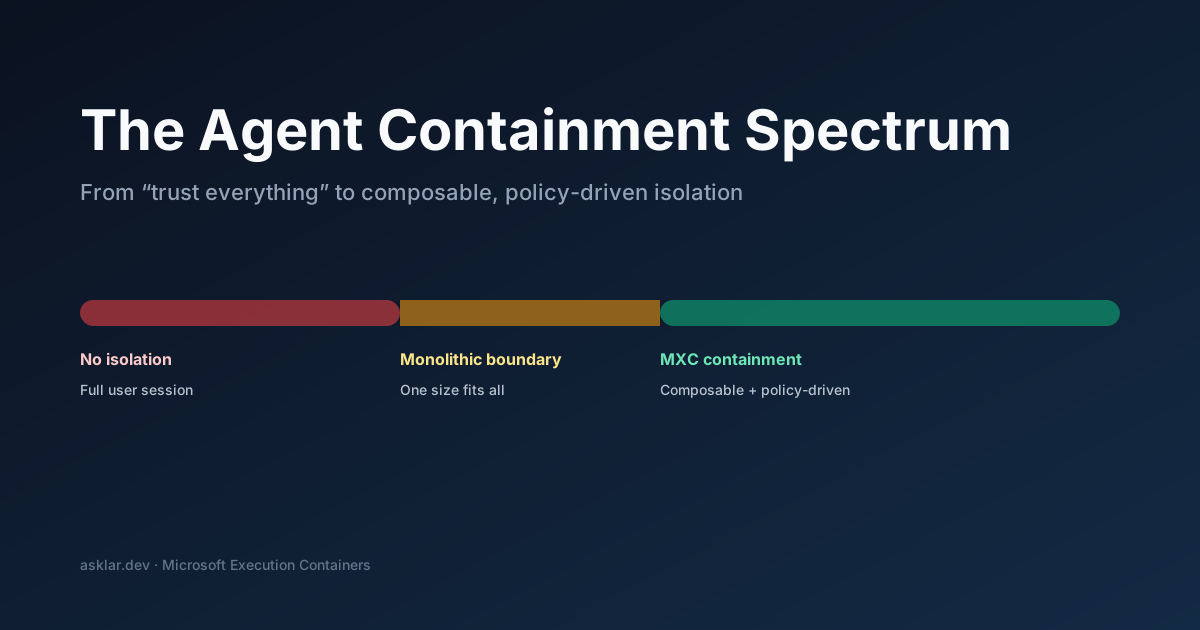
Announced at Build 2026, MXC is a policy-driven execution layer that lets developers declare what an agent can access — files, network, system resources — and has the OS enforce those boundaries at runtime. It’s open source on GitHub and works across Windows, Linux, and macOS.
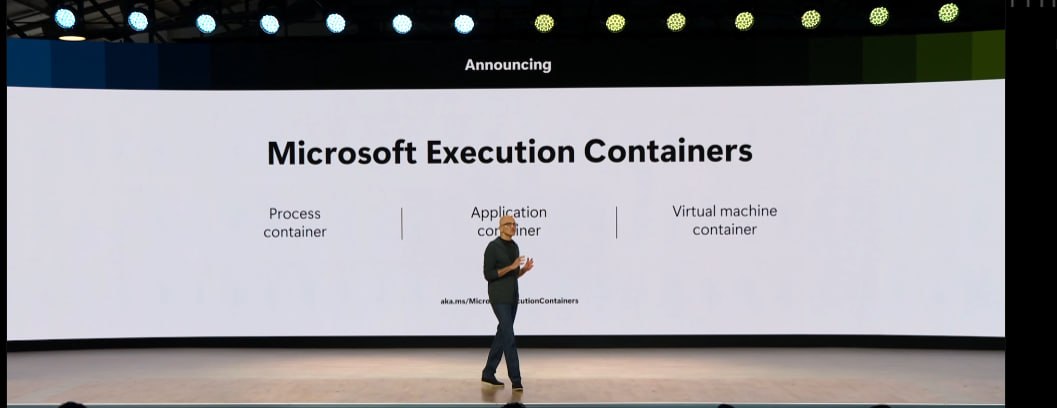
The Problem: Trust Without Boundaries
Right now, when you run a coding agent, it inherits your session. Every file, every credential, every network path.
If you can access it, so can the agent.
That’s super powerful.
And that’s where it gets scary: the agent can mess up or overstep, at machine speed.
The agent might be well-behaved, but the model generating its actions is non-deterministic. One hallucinated command, one prompt injection, and your agent is doing things you never intended with access you never meant to grant.
Traditional containment often collapses into a monolithic boundary: either you grant broad access so the agent can work, or you lock it down so hard it becomes useless. Agents need something in between.
What MXC Actually Does
MXC introduces a containment spectrum — not a single sandbox, but composable isolation that scales with risk:
- Process isolation — restrict what a single agent process can touch
- Filesystem boundaries — declare which paths are readable, writable, or invisible
- Network constraints — control what an agent can reach over the wire
- Composable policies — layer isolation primitives based on workload risk, not one-size-fits-all rules
The key insight is that a coding agent and an enterprise data-processing agent don’t need the same guardrails, but they do need one coherent trust model.
More specifically: you want to be able to apply containment per agent (or per agent instance / task), not just “per framework.” MXC provides the abstraction layer so developers define intent (“this agent reads project files and nothing else”) and the OS handles enforcement.
Why This Matters for Agent Builders
If you’re building agents today, you’re probably doing one of three things for security:
- Nothing — trusting the model not to do bad things (most common, most dangerous)
- Containers (often Docker/VM-shaped) — workable, but heavyweight for the inner loop and frequently ends up feeling like a Linux-first story bolted onto Windows
- Custom sandboxing — reinventing the wheel per framework
MXC replaces all three with a platform primitive. You declare a policy, the OS enforces it. Your agent runs contained without you managing cgroups, namespaces, or AppContainer details.
The Windows security blog post walks through the broader platform story around agent containment and policy-based controls.
The Composable Part Is the Breakthrough
Plenty of systems can sandbox a process. What makes MXC interesting is the composability. You can start with lightweight process isolation during development, then layer on filesystem restrictions for staging, then add network constraints for production — all using the same policy model. The containment adapts to the context without requiring architectural changes.
This is the pattern I keep seeing across successful platform work: don’t force developers to choose between security and capability. Give them a spectrum they can dial based on risk tolerance.
What’s Available Now
MXC is in early preview. The SDK is on GitHub and covers process isolation, filesystem boundaries, and network constraints across Windows, Linux, and macOS.
It’s also already landing in real developer workflows:
-
GitHub Copilot local sandboxes are in public preview and are built on Microsoft MXC technology for a consistent isolation experience across macOS, Linux, and Windows. See: Cloud and local sandboxes for GitHub Copilot now in public preview (use
/sandbox enableto enable sandboxing for a session). In the current preview, this focuses on isolating shell command execution initiated by Copilot; MCP servers / language servers are separately controlled surfaces from the shell tool sandboxing.On Windows, MXC’s default backend targets Windows 11 24H2+ (per the MXC repo), and some backends are Insider Preview-gated.
Some capabilities are gated behind Copilot CLI’s experimental mode. You can enable it either at launch (
copilot --experimental) or inside a running session (/experimental). See Copilot CLI docs: https://github.com/github/copilot-cli#experimental-modeI’ve also been working in close partnership with the GitHub Copilot CLI team on the practicalities of local sandboxing + tool execution in real developer workflows.
-
OpenClaw on Windows was announced at Build as running natively on Windows leveraging MXC — the gateway and node processes run contained so your system stays secure out of the box. See: Build 2026 Windows platform post and Windows platform security for AI agents.
If you watched the keynote, this is the kind of capability being positioned as “agent-grade” platform security: not just better prompts, but OS-enforced containment.
The Bigger Picture
Agent containment is the infrastructure work that determines whether enterprises actually deploy local agents or keep everything locked down in cloud sandboxes. MXC makes the local path viable by giving IT teams the controls they need and giving developers the flexibility they want.
Agents are coming. The question was never whether they’d be powerful — it was whether we could trust them on real systems with real data. MXC is how Windows answers that question.
Try it + help shape it
If you’re building agents and you care about running them locally with real guardrails, go kick the tires:
Early previews get better fast when real builders bring real edge cases.
I write about building with AI agents, the stuff that actually works and the stuff that breaks. Follow me on LinkedIn for more.